Missed messages
Customers have sent chats, but agents haven't had a chance to respond or it's unclear who's handling it.
Tautiva unites chat, customer history, and team tasks. Agents know who's handling, Sales knows when to follow up, and supervisors can see progress.
For Customer Service, Sales, Collection, and team managers
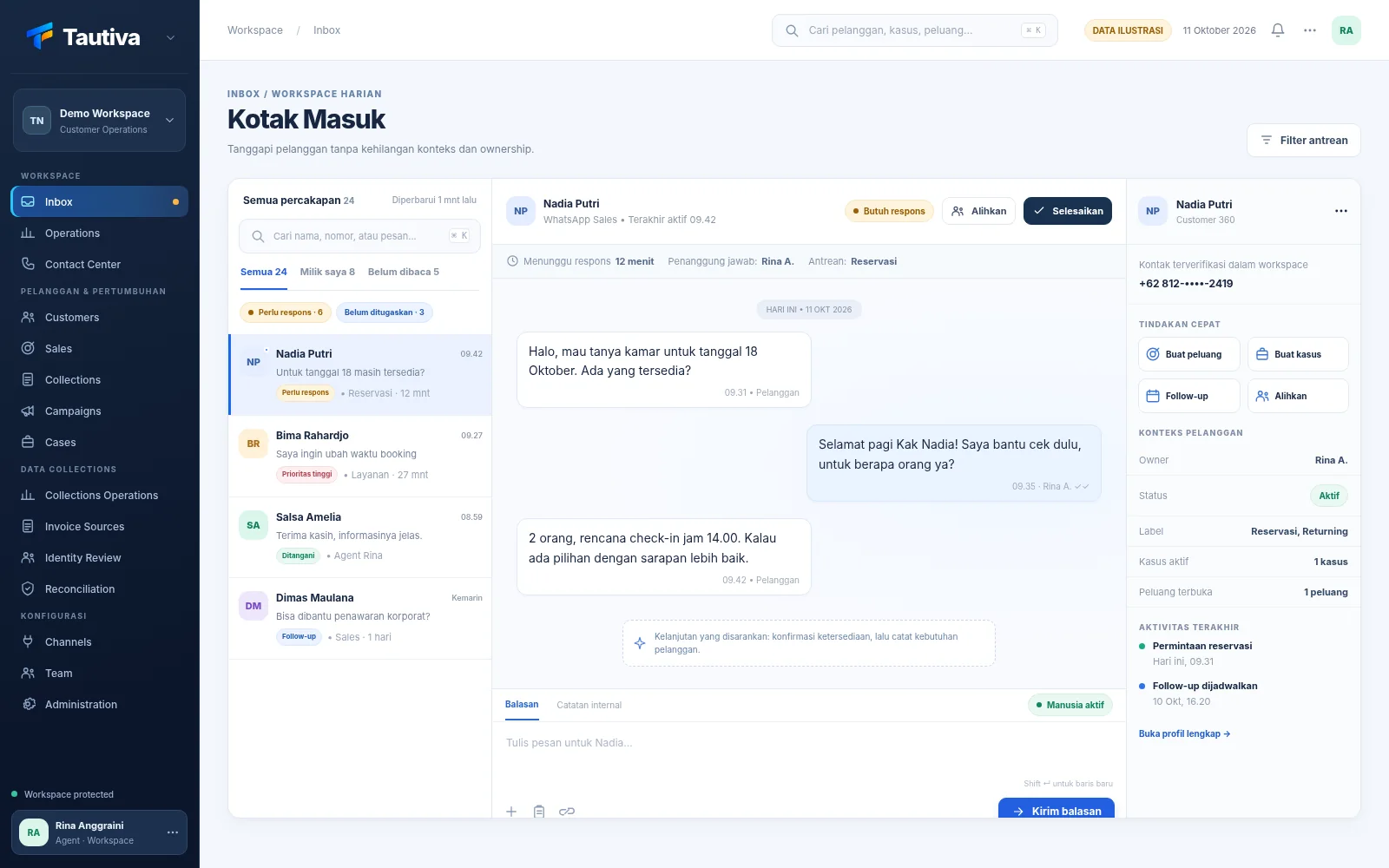
Tautiva display · simulated data
Chats from customers keep coming in, while teams have to serve, sell, and ensure every task is completed.
Customers have sent chats, but agents haven't had a chance to respond or it's unclear who's handling it.
Offers have been made, but sales forget when to contact potential buyers again.
Customers have to retell their problems repeatedly when handled by different agents.
Imagine a simple flow: customer messages come in, staff handle them, work is recorded, and then managers see the progress.
View customer chats that need to be replied to.
Staff can view previous information and conversations.
Create follow-up for sales or customer complaints.
Managers know who is handling and what is pending.
An illustrative example to make it easier to understand how the application helps the Sales team.
Question comes in through WhatsApp.
Lead information and next steps are recorded.
Sales teams see the work that needs to be continued.
Example workflow with simulated data. Request a demo to discuss your team's process.
Choose the job closest to your team: Inbox, customer history, sales, complaints, or team supervision.
Agents can see the conversations being handled and the information needed to respond to customers.
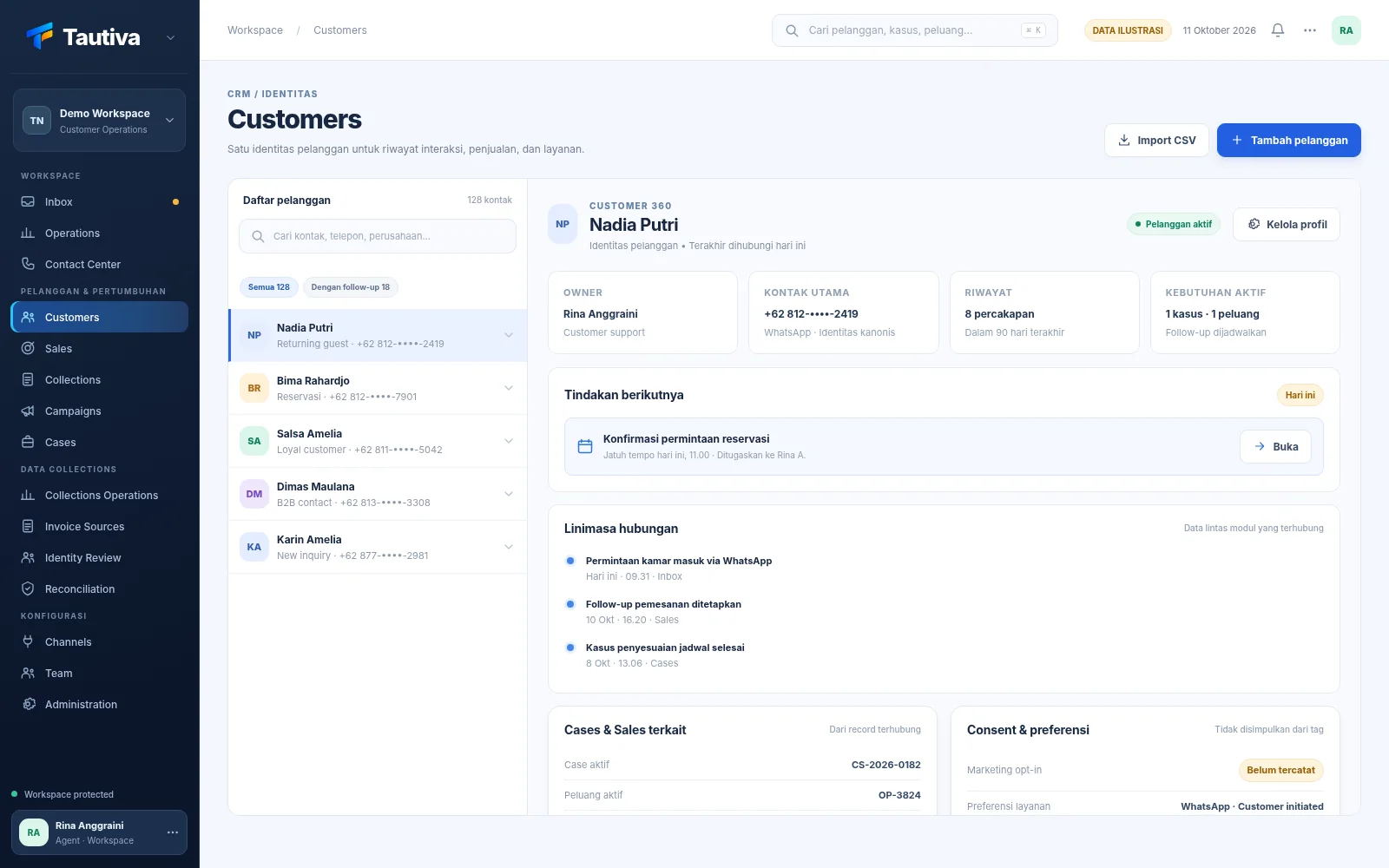
When customers contact again, agents have context from previous interactions.
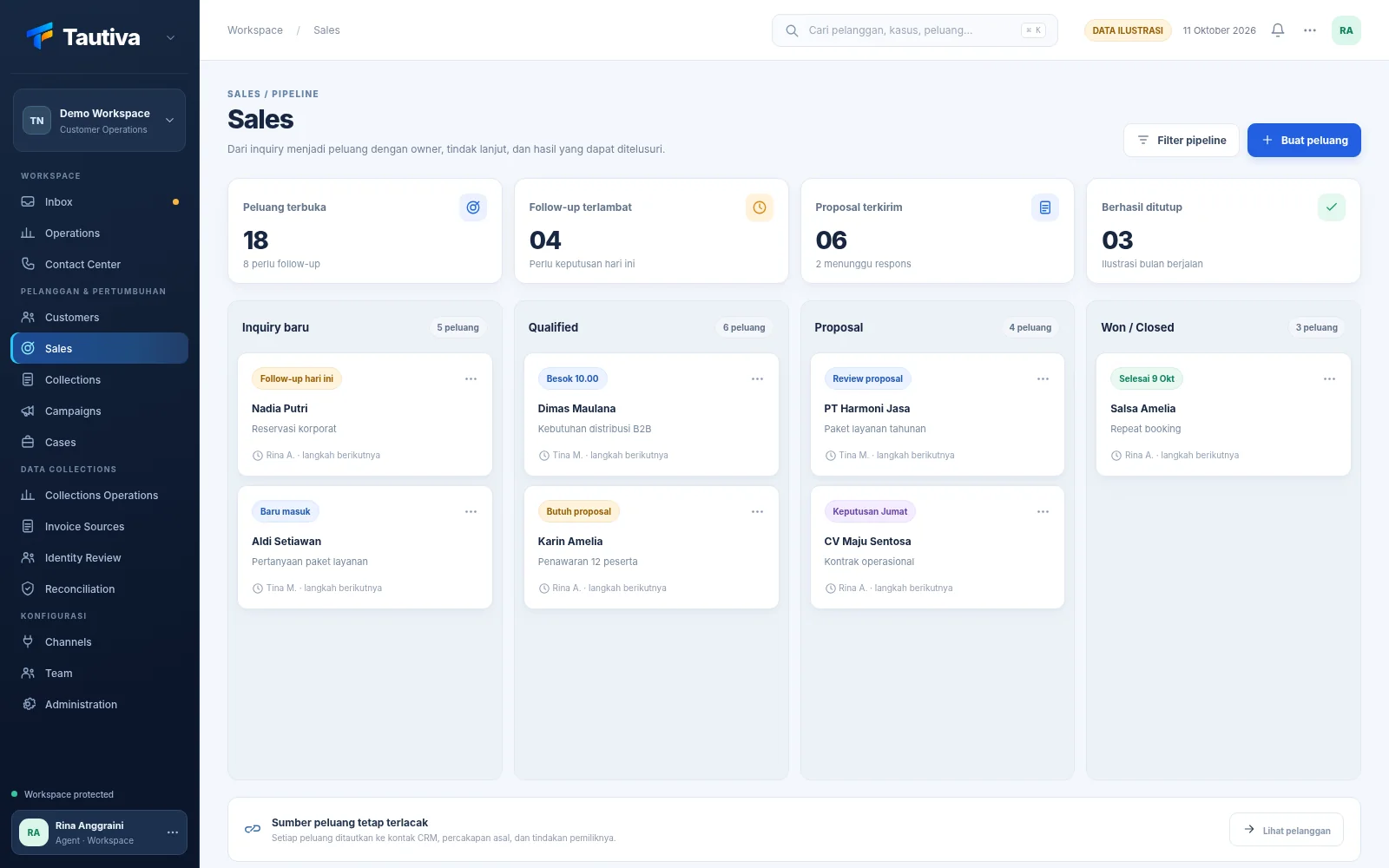
Record sales opportunities and follow-ups to make the offering process more organized.
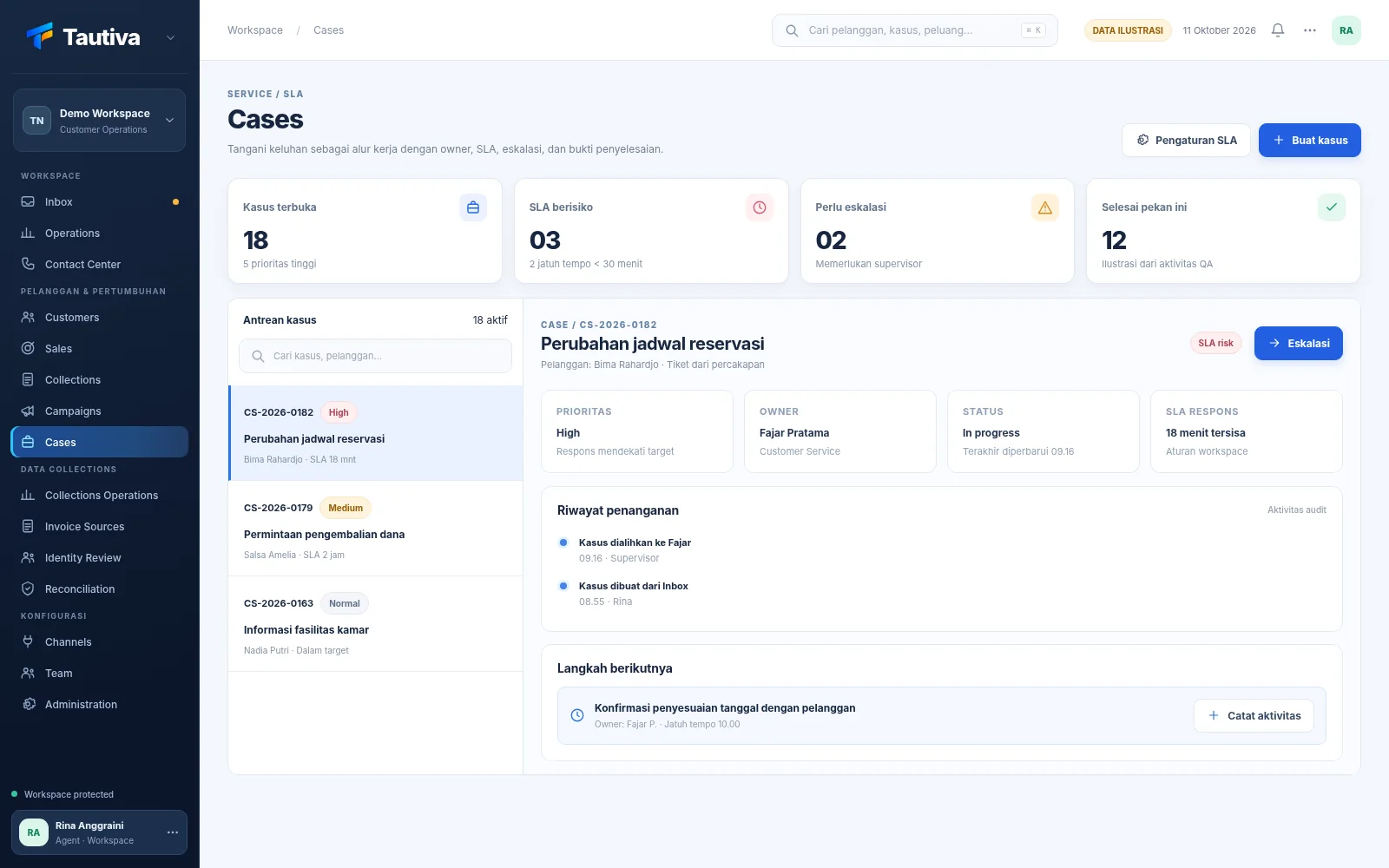
Create tasks from customer complaints, determine the person in charge, and monitor the status of their handling.
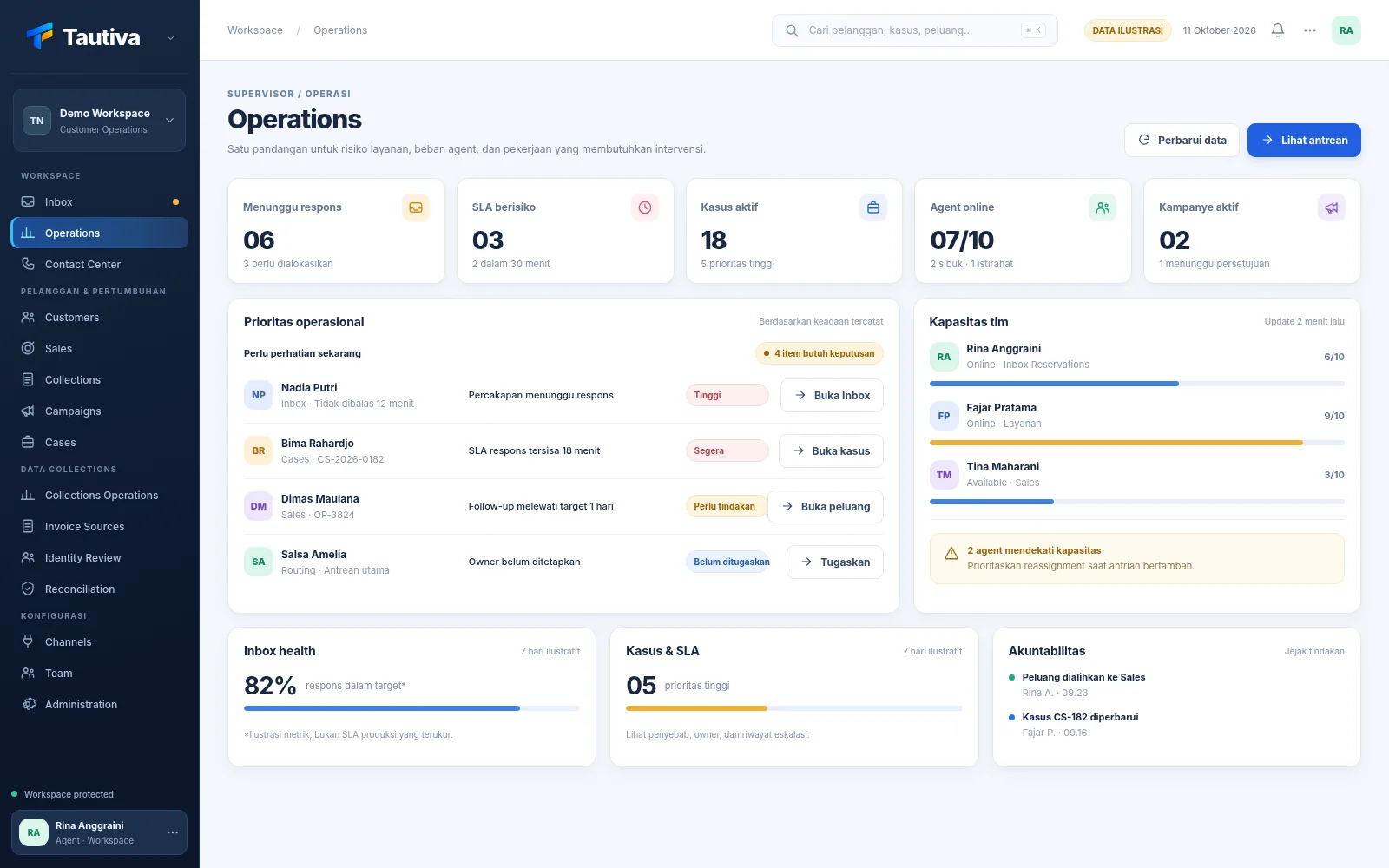
Managers can review ongoing tasks and determine which ones need to be followed up on first.
Illustration of the interface using simulated data.

Sales handle offers, CS serves customers, and managers monitor team tasks. Tautiva is designed to make customer information easier to use together.
See the benefits of each roleMark unresolved complaints and know who is handling them.
See for Customer ServiceRecord opportunities, offers, and follow-up times for potential buyers.
See for SalesMonitor customer handling status and team tasks without checking each chat one by one.
Manage B2B and individual billing follow-ups: record payment promises, track history, review CSV invoices, and document proof checks.
View for CollectionEach field has its own challenges. Choose one to read stories and practical steps to organize customer follow-ups.

Find answers about how Tautiva works, team collaboration, Collection, and demo sessions tailored to your business needs.
We can explain your team's needs during a demo session.
Discuss during the demoTautiva is an application to help teams respond to customer WhatsApp messages, record leads, handle complaints, and monitor follow-ups in one place. The initial focus channel is WhatsApp.
No. The current WhatsApp integration is unofficial, not the official WhatsApp Business Platform. Using this channel carries the risk of session disruptions, policy changes, or service restrictions.
Yes. Conversations can be handled jointly through the Inbox, with division of responsibility and customer context. In the demo, we can discuss team settings according to your business needs.
Yes. Tautiva helps the Collection team handle B2B and individual customers, assign tasks, record contact history and payment promises, import CSV invoices, and manually review identity and payment evidence. Supervisors can monitor work and priorities from the operational dashboard. Financial data still refers to your company's system.
No. Tautiva focuses on customer relationships and communication work. ERP, inventory, transactions, and accounting still require their own source systems.
Click Request a Demo and tell us about your company's needs. The Tautiva team will contact you to show relevant workflows and discuss the next steps.
Tell us what's taking up the most time for your team. We'll contact you to discuss Customer Service, Sales, Collection, or team supervision workflows through a demo.